Permits Online (PONL) Signing Authority Section
Signing Authority for Corporate and LLC Officials
PONL Signing Authority Section
OMB: 1513-0036
Permits Online (PONL) Signing Authority Section
After logging on to PONL, users may add, edit, or delate information in the Signing Authority Section of any new or amended permit function of PONL within Step 2: Key personnel and trade names / Step 2a:
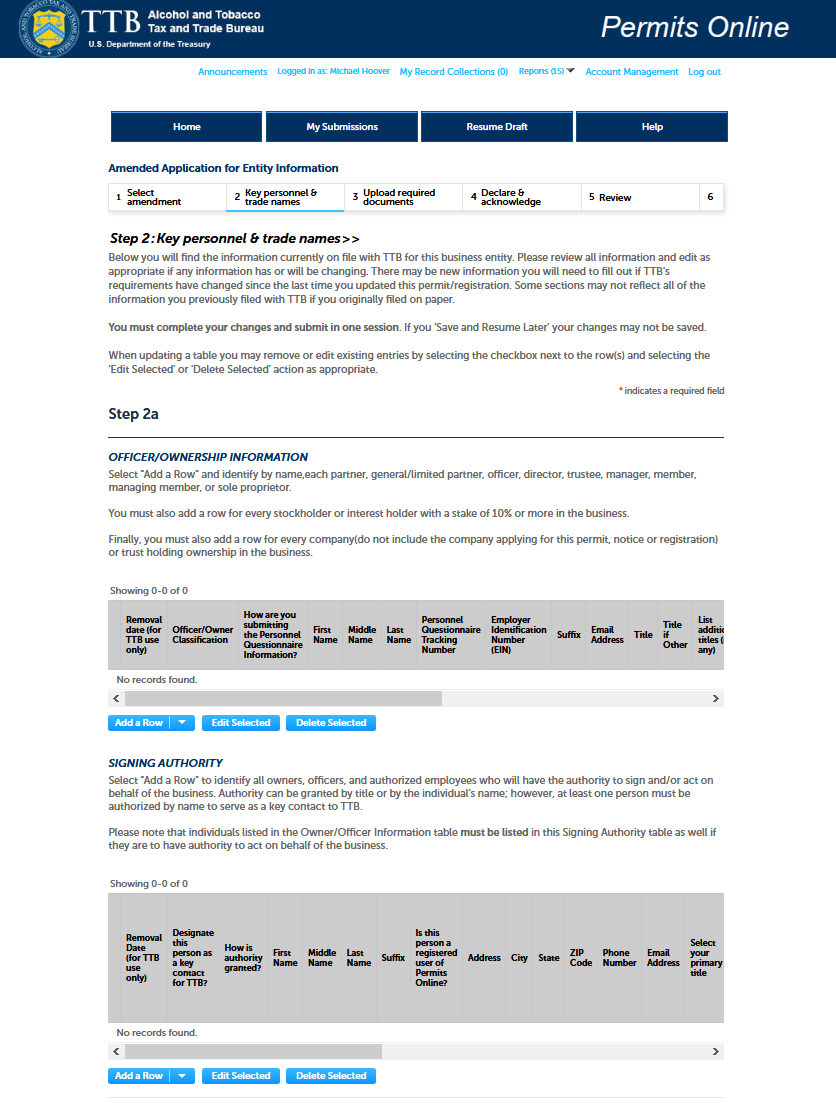
Within the Signing Authority Section, after clicking Add a Row, Edit Selected, or Delete Selected, the PONL system presents the user with the Signing Authority Section data entry screen:
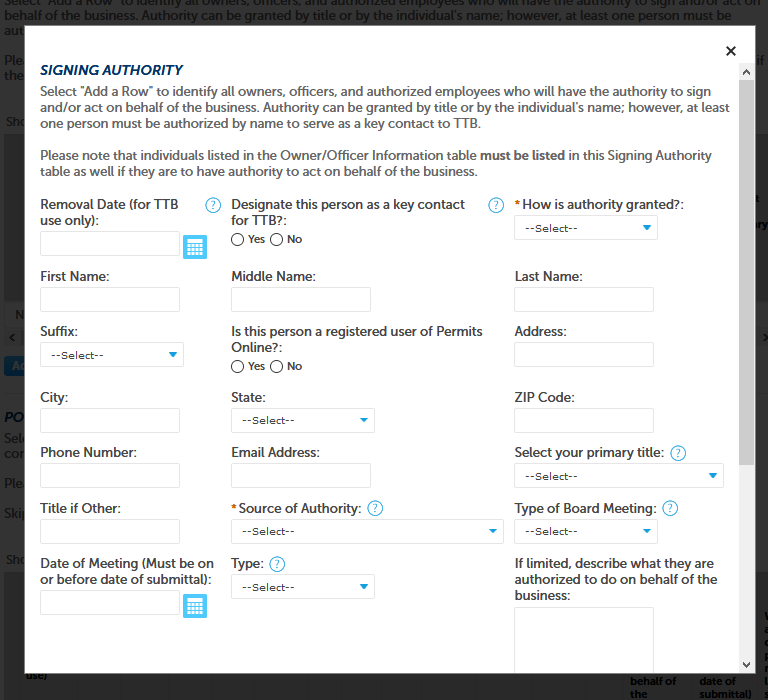
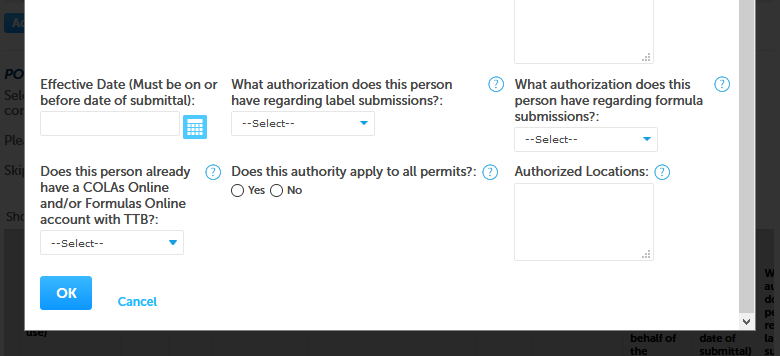
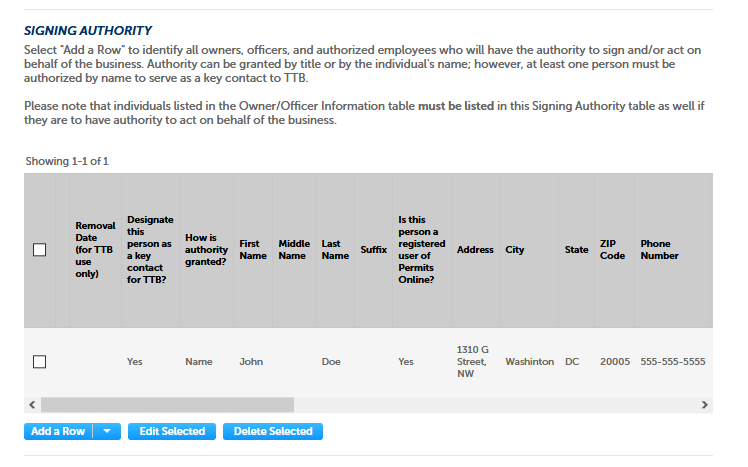
After entering, editing, or deleting data and clicking the OK button, the user returns to the Step 2 / 2a screen and is able to see a summary of the entered or revised data in the Signing Authority Section:
(Close up of the Signing Authority section of the Step 2a Screen shown below.)
The user then goes onto to complete the new or amended permit, and/or goes thru to the submission function to submit the Signing Authority information to TTB.
[END]
PONL 5.0 – Signing Authority Section (2020-10-09)
| File Type | application/vnd.openxmlformats-officedocument.wordprocessingml.document |
| File Modified | 0000-00-00 |
| File Created | 2024-07-27 |
© 2026 OMB.report | Privacy Policy